
For mechanical & HVAC contractors
Build your mechanical O&M closeout PDF
Combine your job's manuals and reports into one indexed PDF. Download the closeout and a ZIP of your original files.
Your first closeout is free. Then $29 per closeout. Save your work online.
Up to 25 PDFs, 250 pages and 20 MB per job
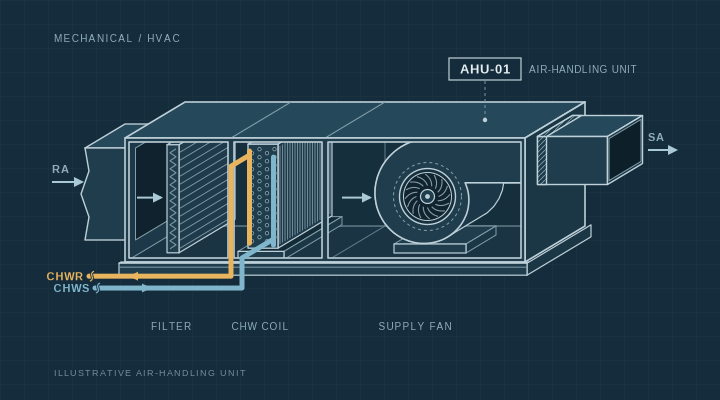
What to include
Check your project specs
Your specs and the GC or owner's instructions determine which records you need. These are the common document types in a mechanical closeout.
- 01O&M manuals
- Installation, operation and maintenance instructions for the equipment you installed.
- 02Warranties
- Equipment and workmanship warranties required for the job.
- 03Approved submittals
- Approved product data and revisions requested by the GC or owner.
- 04Startup & TAB reports
- Startup sheets and testing, adjusting and balancing reports.
- 05Other required records
- As-built drawings, controls information and training records, if required. Put these PDFs in Other.
How it works
Three steps
- 01
Choose the files for one job
Add your manuals, warranties, submittals and reports. Your PDFs are uploaded and saved to your account so you can return later.
- 02
Check the sections and order
The tool suggests sections based on filenames. Move any misplaced files and use the arrows to set their order.
- 03
Preview and download
Your first closeout is free. For later closeouts, preview the result and pay $29 to unlock the indexed PDF and originals ZIP. Read the assembly notes and check the PDF before sending it.
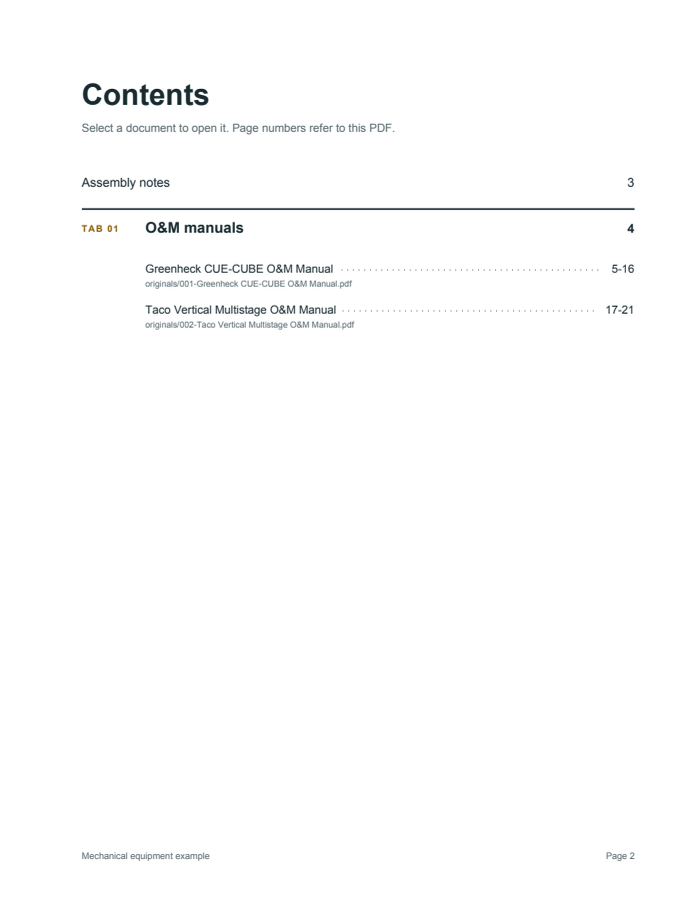
Sample closeout
See the finished PDF
This 21-page sample combines a fan manual and a pump manual. Open it to check the layout and navigation.
- Linked contents and bookmarks
- Go to a section, document or linked location within a manual.
- File list and assembly notes
- Find each original filename, its pages in the PDF and any issues to review.
- Unchanged originals
- The ZIP includes the assembled PDF and your original files.
The sample uses public manuals from Greenheck and Taco. They do not endorse this service.
Pricing
First closeout free
Create an account with your email and a password. Your first completed closeout is free. Each additional closeout costs $29 to unlock the PDF and originals ZIP. No credit card is needed for your first closeout.
Each job can contain up to 25 PDFs, 250 source pages and 20 MB. Scanned PDFs work too. Remove password protection first.
Need to combine more files?PDF tool
$29
per additional closeout. Your first one is free.
- One PDF with linked contents and bookmarks
- A file list with page numbers and assembly notes
- A ZIP with your original files
Your PDFs and saved edits stay in your account. Return anytime to download.
Common questions
Will it fit your job?
What goes in a mechanical O&M manual?
Your project specs set the requirements. They may call for manuals, warranties, submittals, startup sheets, TAB reports and other records. Use the mechanical closeout checklist to track what you have and what is still missing.
What files can I use?
PDFs without password protection, including scans. The limit is 25 files, 250 source pages and 20 MB per job. Export Word documents and spreadsheets to PDF first. The tool keeps scans as they are and does not make them searchable.
Will it find missing manuals or check the specs?
No. Fast Closeouts combines the files you choose. You can track required records in a register and create upload links for suppliers, but you still collect missing records, confirm the documents match the installed equipment and check the package against the job specs.
What happens to signed PDFs and forms?
The combined PDF does not keep digital signatures valid. Check signatures, form values and attachments in the original PDFs included in the ZIP. The combined PDF keeps supported internal links, bookmarks, and ordinary web and email links. Scripts and file-launch actions are removed.
What happens if I close the tab?
Your uploaded PDFs, saved edits and generated downloads stay in your account. Wait for the saved status before leaving, then sign in with the same email and password to continue. Read how we handle your files.
Checklists and guides